A robot can clean normally while its dock has a full dirty-water tank, blocked tray, misplaced dust bag, or water-system fault. Start by identifying the robot and dock model numbers. A brand name or similar dock shape does not establish that parts, cleaning liquids, or procedures are shared.
Identify the dock system
Check the labels on both the robot and dock, then find the matching regional manual. A dock may only empty dust, or it may also refill the robot, wash a mop, dry parts, or connect to household plumbing. Those systems have different service boundaries. The robot and dock must also be a supported pairing.
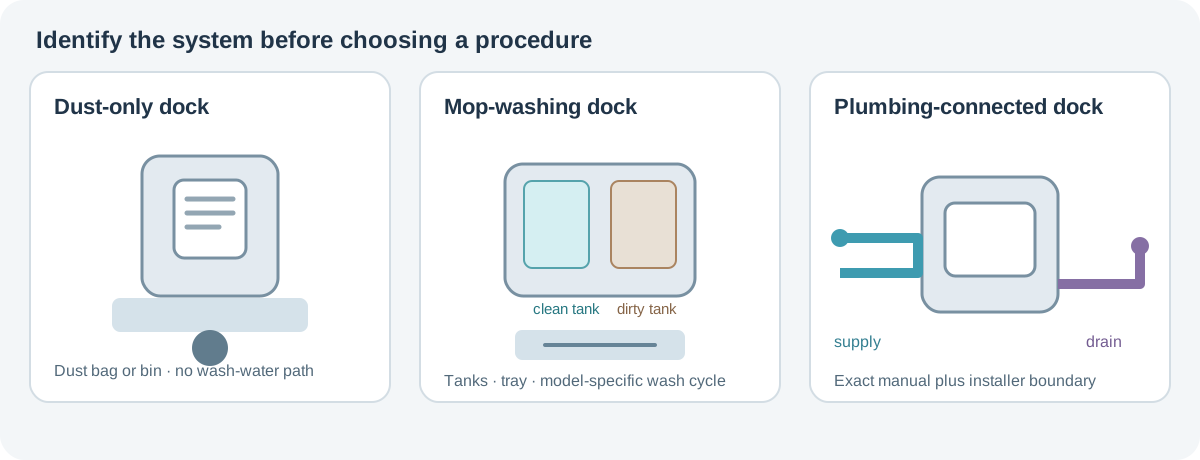
Before maintenance, stop the robot and use the power-isolation steps stated for that exact system. Some manuals require the robot to be off and the dock unplugged. Do not handle a wet plug, outlet, exposed contact, or station with visible electrical damage. If water is near an electrical connection, stop and use the manufacturer’s service route.
Routine owner-accessible care
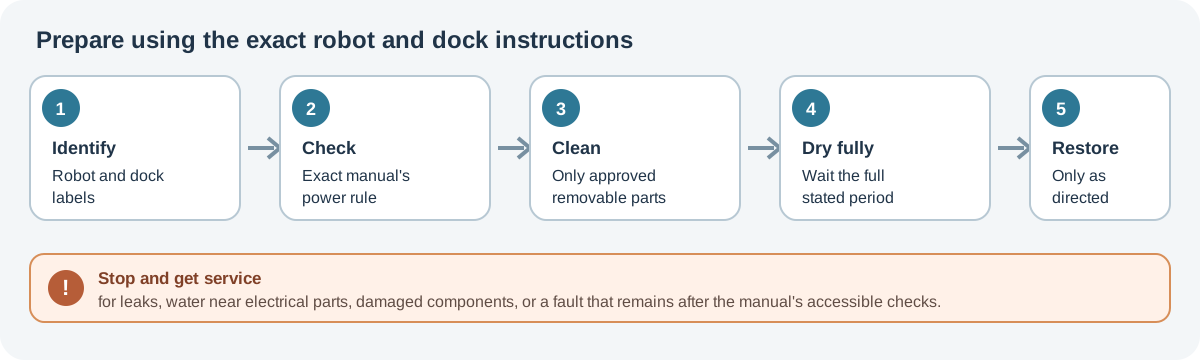
Use this sequence only for components the exact manual identifies as removable or owner-serviceable:
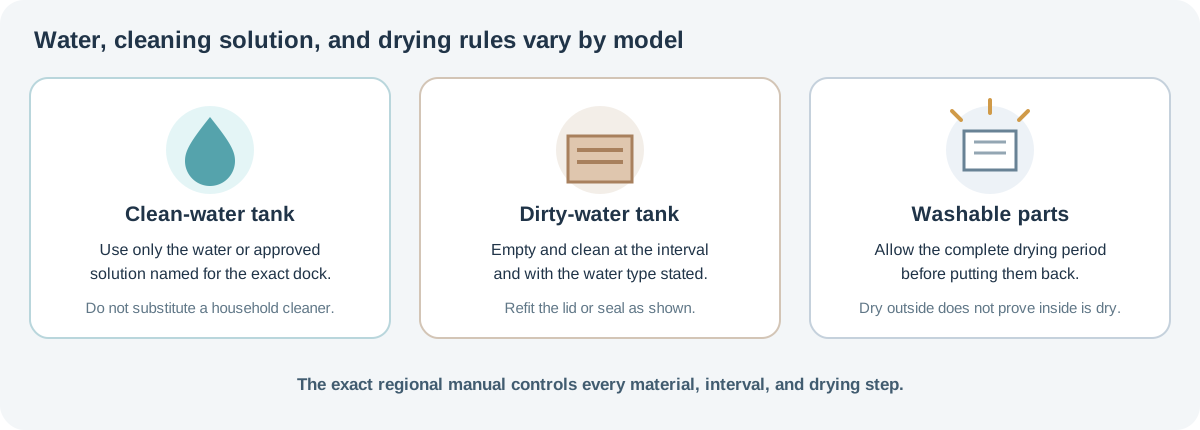
- Empty the dirty-water tank into an appropriate drain. Rinse it only if the manual permits rinsing, and refit its lid or seal as shown. A misplaced seal can cause leaks or prevent pumping.
- Check the clean-water tank and use only the water or manufacturer-approved solution named for the model. Do not assume another brand’s cleaner, vinegar, disinfectant, hot water, or tap-water rule applies to this dock.
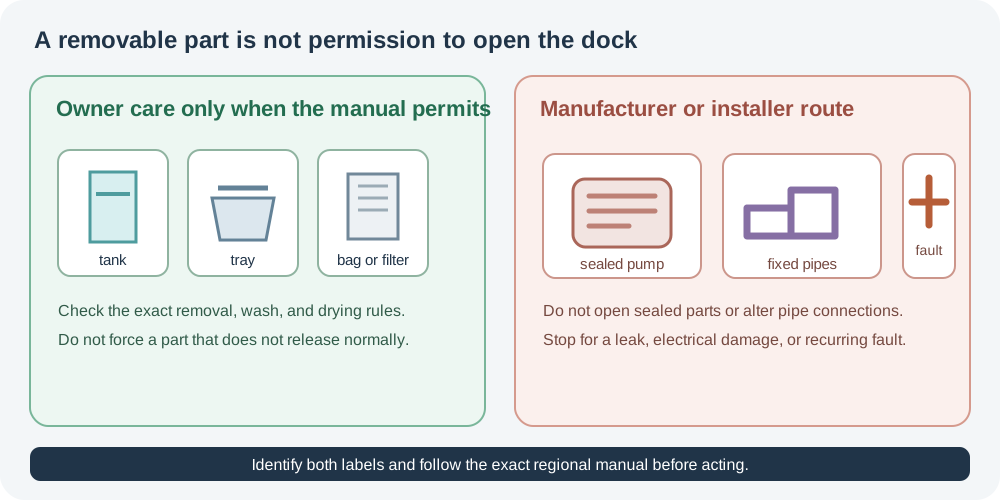
- Remove a wash tray, dock filter, or maintenance brush only in the manual’s order. Clear accessible debris, wash or wipe it only as permitted, and reinstall every latch and filter correctly.
- For a self-emptying dock, check the dust bag or reusable container and the accessible inlet. Replace a disposable bag by its handle if the instructions show that it seals on removal. Do not reach into a fan or sealed air passage.
- Let washable parts dry for the full period in the manual before returning them. A dry exterior does not prove a filter or internal channel is dry.
- Reassemble, restore power as directed, and run a short normal emptying or mop-wash cycle. If an alert returns, stop and use the symptom table below.
The instructions vary even among similar systems. The iRobot Combo 10 Max Auto-Wash dock guide gives one named tank, basin, roller, filter, and cycle procedure. Roborock’s Qrevo Curv manual, for example, requires at least 24 hours of drying for its washable filter and bin and says to use cold water for its dirty-water tank. For the Qrevo Master QR2PPS and EWFD22LRR dock, Roborock gives a separate cleaning-tank module and filter procedure, calls for cold water in the dirty-water tank, requires a dust bag before closing its cover, and warns against touching operating water outlets. The S8 MaxV Ultra and Saros 10 manuals also specify cold-water dirty-tank care and model-specific bag/filter steps. Apply each method only to the robot/dock pairing in its manual. Dreame’s D30 Ultra manual says not to move its tanks or washboard filter while the base is operating and not to touch the water outlet; follow that boundary only for its named model. The Roborock Auto-Empty Dock Pure and RockDock Plus have a dock-bin filter that Roborock says is not detachable by design; if it needs cleaning, use a dry cloth or vacuum rather than trying to pull the filter out. The iRobot Plus 400 AutoWash schedule calls for monthly or visibly-dirty pad-basin care, tanks as needed, and bag replacement when prompted; use that schedule only for the named dock. The eufy X10 Pro Omni T2351 manual gives the dirty-water tank two care descriptions: its table says to clean it when full, while a mopping section says to clean it after a cleaning session. Follow the complete current manual for your exact unit; do not turn either example into a universal schedule.
Match the symptom to the accessible check
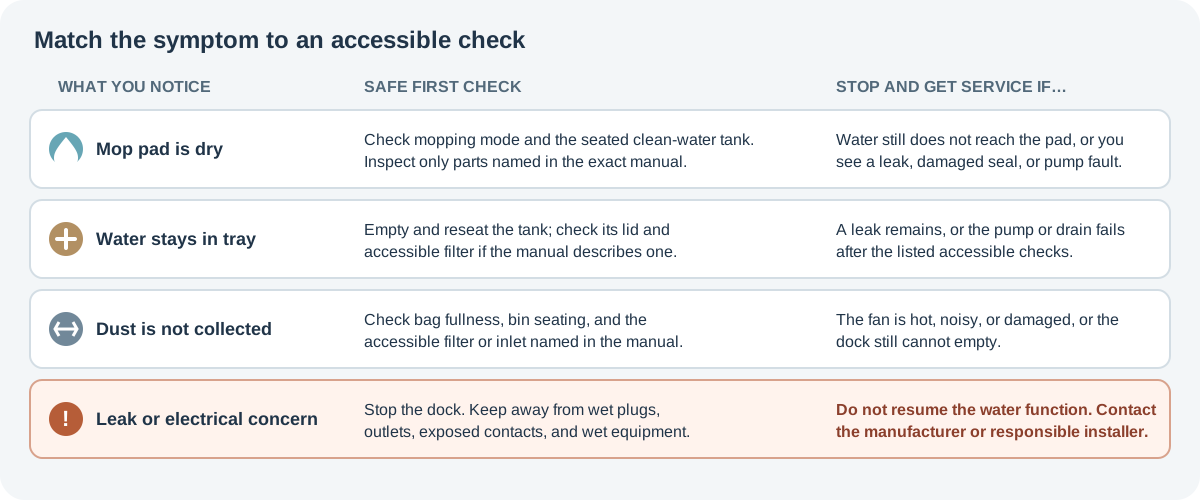
| What you notice | Safe first checks | Stop and get service when… |
|---|---|---|
| The mop pad is dry or the robot reports no water | Confirm the robot is in the intended mopping mode; check that the clean-water tank is seated and filled as the manual directs; inspect only the removable tray, filter, or outlet named for that model. | Water still does not reach the pad after the exact manual’s controlled test, or you see a leak, damaged seal, or a sealed pump fault. |
| Water remains in the tray or dirty-water tank | Empty and reseat the tank; check its lid and accessible filter for debris; inspect a removable tray only if the manual describes it. | The tank will not seal, the dock leaks, or an accessible part is clear but the pump or drain still fails. |
| Dust is not being collected | Check for a full or absent dust bag, a bin that is not seated, and an accessible filter or inlet named in the manual. | The fan is noisy, hot, damaged, or the dock still cannot empty after those checks. |
| The dock smells or leaves dirty residue | Empty and clean the parts the model’s manual identifies, and allow them to dry. Do not add fragrance, disinfectant, or another solution unless approved for that exact model. | Odor comes from a sealed compartment, liquid has reached electrical parts, or cleaning does not stop leakage or a fault. |
A further robot-side example is the Roomba 200/2000 Combo: iRobot says to hand-wash its mop pad with cold water and air-dry it; the tank must not be rinsed or immersed and must not receive hot water or cleaning products. Wipe its electrode plates with a dry cloth before use. These are Combo robot instructions, not a dock-tank procedure.
A base with automatic plumbing is a separate service case. Roborock’s CE Saros 10R manual identifies robot S91COP and refill-and-drain dock EWFD29HRR, gives model-specific site limits, and says Roborock assumes responsibility only for losses resulting from installation by authorized Roborock technicians. See the Saros 10R dock setup and care guide for those limits. Do not add, disconnect, or modify water pipes based on a general cleaning guide; follow the exact installer and service instructions for the installed system.
Exact-model dock examples
The ECOVACS DEEBOT T80 OMNI support pages distinguish the robot water tray from the station mop-washing tray. The station tray can be removed, washed with water, dried thoroughly, and reinstalled with the overflow float seated. The robot-side procedure extends the roller assembly, releases the blue tray latch, cleans and returns the filter, and clicks the tray back into place. Remove the dirty-water box before flipping the robot. Neither page gives a cleaning interval or names a detergent. See the T80 OMNI tray guide.
For the US eufy Omni C20 T2280111, the product/support page recommends a four-hour mop-pad drying default and five to six hours in high humidity through the app, plus eufy solution at a 1:200 solution-to-water ratio. These instructions are only for that US C20 listing. See the C20 manufacturer’s page for current guidance and any additional steps for that unit.
The X8 Family guide separates the US CH2453F/CH2453H station from the EMEA CH2453G refill-and-drain unit. The latter manual documents plumbing requirements and electrical ratings; the published guide identifies the setup checks but does not turn them into owner retrofit instructions. For robot-side tray, roller, and station care, use the X11 PRO OMNI, X11 OmniCyclone, S1 Pro T2080, and X5 PRO OMNI pages for their named systems.
For Samsung’s Bespoke Jet Bot Combo, use the current Clean Station care article as a manufacturer resource and confirm that it covers your exact robot, station, and region. Samsung says its SmartThings cleaning guide can show instructions for a selected part: add the Jet Bot Combo, select it in the app, choose Service, then choose the part. Treat that as a route to model-specific instructions, not proof that the same app view or procedure applies to every region or station. The support page says to unplug the station for cleaning and also describes a powered descaling/rinse cycle, but it does not establish the required power-state transition or exact-unit applicability. Do not infer when to reconnect or start that cycle from this general guide; ask Samsung to confirm the sequence for your labeled station before descaling.
Keep model-specific instructions separate
For a dedicated procedure, use the exact guide for the Saros Z70, Saros 20 Sonic, Aqua10 Ultra Roller, eufy X10 Pro Omni T2351, Narwal Freo Z Ultra, iRobot Auto-Wash dock, ECOVACS X12 Family US, DEEBOT T90 OMNI EU1, or DEEBOT T50 Gen3 FAMILY EU. Each procedure applies only to the identifiers and dock named in its guide.
For robot-side filters and airflow, see filter and bin cleaning. For brushes, wheels, sensors, and contacts, see component cleaning. If the symptom points to a damaged battery or charging fault, use the battery safety and service guide.
Sources & product documentation 18 references
- Q Revo Robotic Vacuum Cleaner User ManualPrimary
- Dreame D30 Ultra Robot Vacuum and Mop with Auto-Empty and Mop Self-Cleaning User ManualPrimary
- Dreamebot L20 Ultra Robot Vacuum and Mop User Manual USPrimary
- X10 Pro Omni T2351 ManualPrimary
- DEEBOT X12 FAMILY Instruction Manual—USPrimary
- DEEBOT T50 Gen3 FAMILY Instruction Manual—EUPrimary
- Roomba 200/2000: How to Clean or Replace the Mop PadPrimary
- Roomba Plus 400 Care Procedure FrequencyPrimary
- Auto-Wash Dock Care and Maintenance InstructionsPrimary
- Qrevo Curv Series User ManualPrimary
- Roborock Qrevo Master User ManualPrimary
- Roborock S8 MaxV Ultra Robotic Vacuum Cleaner User ManualPrimary
- Roborock Saros 10 User ManualPrimary
- Do I need to remove the filter inside the Dock Dustbin for cleaning?Primary
- Saros 10R (with Refill and Drainage System) CE User ManualPrimary
- Robot Vacuum Omni C20 + Indoor Cam E220 product and support pagePrimary
- DEEBOT T80 OMNI Mop Washing Tray Maintenance GuidePrimary
- Bespoke Jet Bot Combo and Clean Station carePrimary