A wheel, brush, sensor, or bumper alert narrows the next check only when the robot and alert match the source. Error numbers are brand- and model-specific; the same number on another robot can mean something different.
Start with the exact message
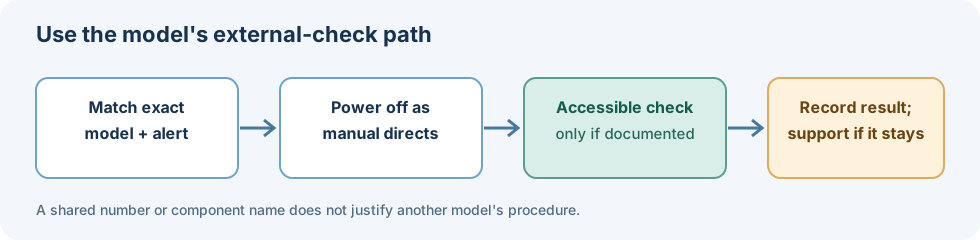
Record the brand, model, complete alert text, and whether it appeared while the robot was moving, charging, or returning to its dock. If the app or manual names a wheel, brush, or sensor, use that model’s instructions.
Before handling a brush or turning the robot over, switch it off as its manual directs. Remove only accessible hair or debris. Keep liquids away from openings and electrical parts, and do not bypass cliff, wheel, or bumper sensors.
Examples from manufacturer guidance
| Source scope | Alert example | Documented first check |
|---|---|---|
| Roborock S5 Max | Error 2: bumper stuck | Clean the bumper and lightly tap it to release it. |
| Roborock S5 Max | Error 4: suspended robot or cliff-sensor condition | Move the robot and clean the cliff sensors as the manual directs. |
| Roborock S5 Max | Error 5, 6, or 7: main brush, side brush, or wheels | Clean the named brush or inspect the wheels for a jam. |
| Roomba 800 Series | Error 1, 2, 6, or 9 | The chart associates these with a hanging/stuck wheel, dirty or blocked extractors, cliff sensors/drop edge, or a stuck bumper. Use the exact series instructions. |
| ECOVACS Global wheel FAQ | Driving wheels stuck | The FAQ says to power the robot off and clear debris from the wheels; it does not list every model that uses the page. |
| eufy L70/G-series Error 6 page | Suspended robot or ledge condition | Power off, wipe the accessible drop sensors with a dry cloth, then retest near the original location. Exact model coverage is not listed. |
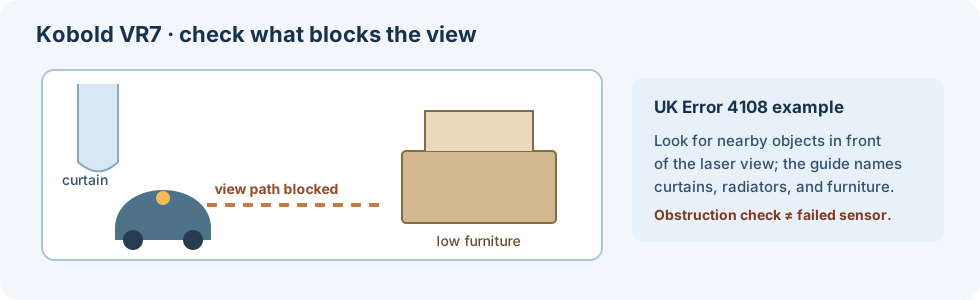
| Vorwerk Kobold VR7 (UK) | Error 4108; view is obstructed | Check the current UK guide; an obstruction check does not by itself establish failed hardware. |
The current UK Kobold VR7 Error 4108 guide names curtains, radiators, furniture, and startup stickers or protective film as possible obstructions in front of the laser view. Although its title also mentions sensor failure, the listed check addresses obstruction and gives no sensor diagnosis, replacement, or repair procedure.
Could a wet mop be contributing?
One LG US guide gives a possible non-wheel explanation for a “Check the Wheel” message: friction between the floor and a wet ultra-fine textile mop may trigger it even when nothing is caught in the wheel. LG notes that the spoken message can vary. The page says it was created for all models but warns that images and instructions may differ by product, and it does not list model numbers. Treat this as one possibility, not proof that a wheel is clear or a reason to remove the mop plate on another model; check the exact product’s instructions before handling its mop assembly.
These examples are not a universal error table. eufy G-series voice alerts, eufy X8 Error 2 / S2, Roborock S7-family manual tables, and Roborock Error 42 have separate model scopes.
When to stop
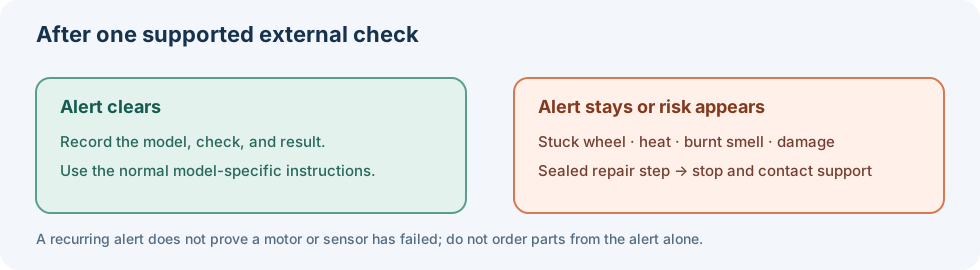
A clean wheel or brush does not prove that a motor or sensor has failed. Stop and use the manufacturer’s support route if an alert returns after the documented external check, a wheel will not move, the robot is unusually hot or smells burnt, there is liquid or electrical damage, or the next step would require opening a sealed assembly. Do not order a part based on an alert number alone.
Sources & product documentation 7 references
- Roborock Robot Vacuum Cleaner S5 Max User ManualPrimary
- The Roomba 800 series error messages chartPrimary
- How do I check the driving wheels if they are stuck?Primary
- What Should I Do if My RoboVac Stops with Error 6? (for L70/G series)Primary
- Voice Alerts & Quick Solutions for Dynamic Navigation Series (G series)Primary
- LG Robot Vacuum - Troubleshooting the 'Check the Wheel' Voice MessagePrimary
- View is obstructed & sensor failure — VR7 error code 4108Primary