The Roborock S7 and S7 MaxV Ultra English manuals contain similar numbered error tables. This page shows shared numbered messages once for readability, but the manuals identify different robot and dock configurations. Confirm your robot and dock labels and use the matching manual; this is not a list for every S7-series model or later app alert.
Identify the robot and dock first
The S7 manual identifies the robot as S7 and names charger/supply units CDZ11RR or CDZ12RR. The S7 MaxV Ultra manual identifies robot model S270RR and lists charger models CDZ11RR or CDZ12RR, auto-empty dock models AED01LRR or AED02LRR, and Empty Wash Fill dock models EWFD01LRR or EWFD02LRR. These identifiers describe configurations listed in those manuals; they do not prove regional fitment or interchangeability. If a label does not match, check the manual for your region or ask Roborock before applying a table.
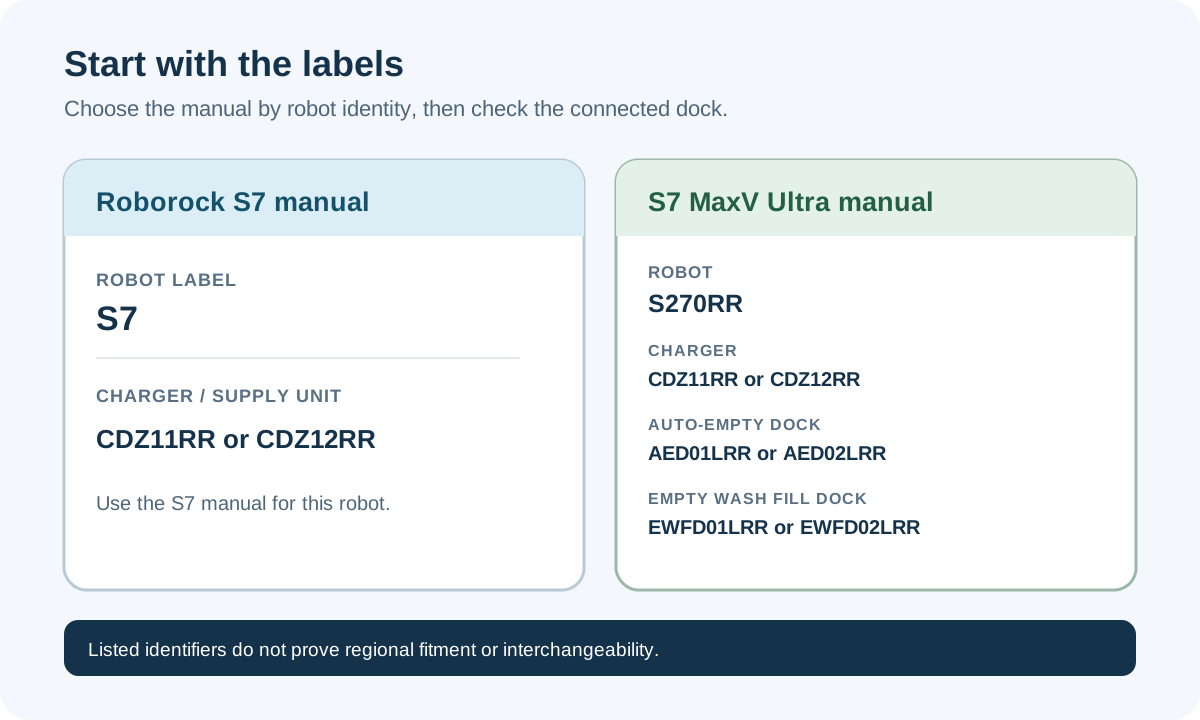
Numbered alerts in the two manuals
| Alert | Manual meaning or first documented check |
|---|---|
| Error 1 | LiDAR turret or laser blocked; check for an obstruction. |
| Error 2 | Bumper stuck; clean it and lightly tap to release it. |
| Error 3 | Wheels suspended; move the robot and restart. |
| Error 4 | Cliff-sensor error; clean the sensors and move away from drops. |
| Error 5 | Main brush jammed; clean the brush and bearings. |
| Error 6 | Side brush jammed; remove and clean the side brush. |
| Error 7 | Wheels jammed; move the robot and restart. |
| Error 8 | Robot trapped; clear nearby obstacles. |
| Error 9 | Dustbin missing; install the dustbin and filter. |
| Error 12 | Low battery; recharge and retry. |
| Error 13 | Charging error; clean charging contacts and retry. |
| Error 14 | Battery error. The manuals do not give a battery repair procedure. |
| Error 15 | Wall sensor dirty; clean the wall sensor. |
| Error 16 | Robot tilted; move it to level ground and restart. |
| Error 17 | Side-brush error; reset the robot as the manual directs. |
| Error 18 | Fan error; reset the robot as the manual directs. |
| Error 21 | Vertical bumper pressed; move the robot and retry. |
| Error 22 | Dock locator error; clean the locator and retry. |
| Error 23 | Robot could not return to the dock; clean the dock-location beacon and retry. |
| Error 27 | VibraRise system jammed; check for an obstruction. |
| Error 28 | Robot is on carpet; move it to a floor surface and retry. |
Both manuals also list a filter-blocked-or-wet message without a number. They direct the owner to clean and dry the filter, then retry.
Additional unnumbered S7 messages
The S7 manual also lists messages for a detected no-go zone or Invisible Wall, difficulty crossing carpet, and an internal error. Use the message and the S7 manual’s specific instruction; do not assume that an unnumbered alert is one of the numbered errors above.
Before cleaning or maintenance
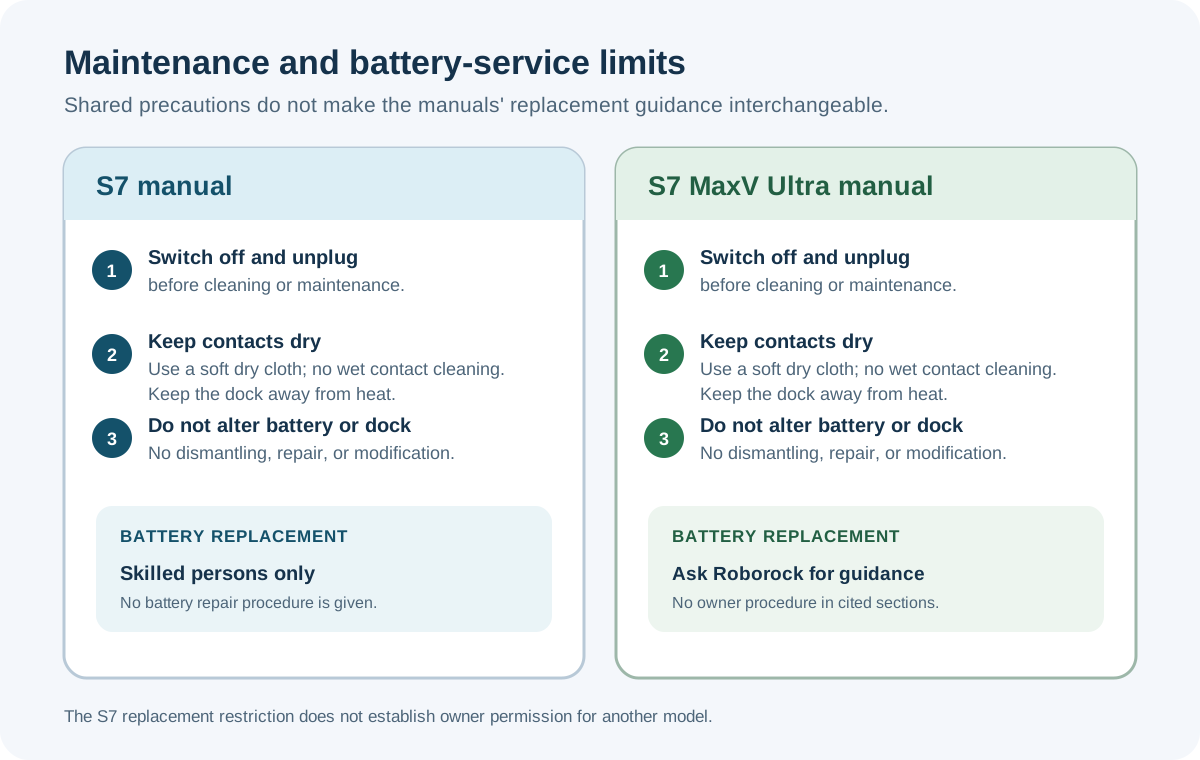
Both manuals require the product to be switched off and unplugged before cleaning or maintenance. Each manual says to wipe charging contacts with a soft, dry cloth; do not use a wet cloth or wet hands. Both also say to keep the charging dock away from heat and not to dismantle, repair, or modify the battery or dock. Keep the battery-replacement wording specific to each manual:
| Manual | Battery replacement guidance |
|---|---|
| S7 | Roborock says the batteries are only replaceable by skilled persons. This is not a battery repair procedure. |
| S7 MaxV Ultra | The manual’s safety and battery sections do not give the S7’s skilled-person replacement wording or an owner battery-replacement procedure. Ask Roborock about battery service; do not infer owner permission from the wording for another model. |
Use the manuals’ general notes
The manuals say to relocate the robot and restart after resolving a listed error, clean a sensor after a sensor error, and wait for an unusually hot or cold battery to return to normal temperature. Follow the matching manual’s steps. If a problem persists, contact Roborock support for the exact robot and dock.
An alert does not prove that a battery, fan, dock, sensor, or other part has failed. The manuals do not provide a full replacement-part fitment table. Do not open a battery, dock, or internal electronics or order a part from the code alone.