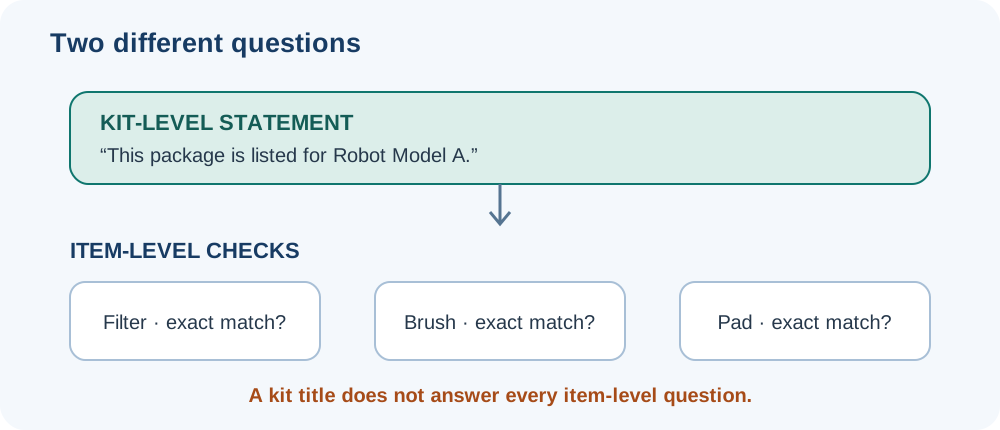
A replacement kit can group several filters, brushes, pads, bags, or covers under one model-family name. That does not automatically confirm that every item fits every robot named on the page. Check the exact robot and each component before treating a bundle as a match.
Make a component-by-component check
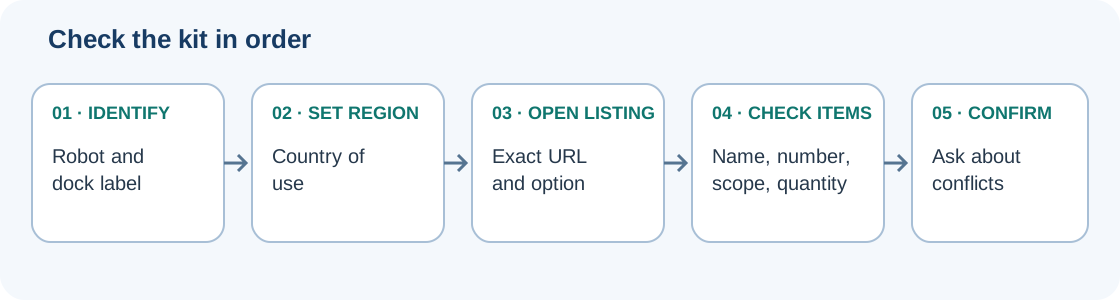
- Read the model and revision from the robot label. If the kit contains a dock part, record the base-station model too.
- Open the current product page for your country and read the detailed compatibility text, not only the title or image.
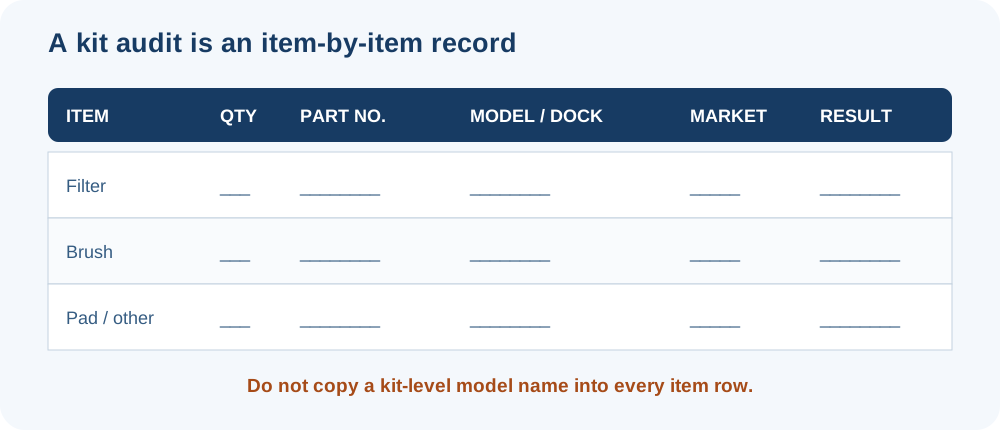
- List every item in the kit and compare each item with the matching component name and part number in the manual or manufacturer’s listing.
- Check exclusions, model suffixes, purchase dates, dock configurations, and regional limits.
- Look for disagreement between the title, product description, and compatibility field. Ask the manufacturer when they conflict.
- If one item is unclear, do not treat the whole kit as verified. Buy only the components with a defensible match or wait for confirmation.
| Listing statement | What it supports | What it does not support |
|---|---|---|
| A manufacturer lists a kit for named models | The kit is listed for those models within the exact page’s scope. | That every kit component fits every robot or every revision in the group. |
| One brush is listed for a model | That specific brush-to-model relationship, if the part number and model match. | Fit for the filter, brush guard, mop pad, battery, or any other item in the kit. |
| Similar family name or product photo | A clue for finding the correct support page. | A compatibility result. |
| Conflicting or missing component detail | There is an unresolved question. | A reason to infer a positive match from the more convenient wording. |
Examples of mixed or limited listings
Roborock’s QrevoPro support answer gives a mixed result for the previous QRevo: it lists the side brush, main brush, and main-brush cover as compatible, but says the dustbin, filter, and mop cloth are not. The result is component-specific. It does not establish compatibility for every Qrevo variant or for a third-party kit.
The current U.S. eufy listing for kit T29161N2 names a model group and itemizes the included filters, side brushes, rolling brush, and brush guard. Its page also excludes non-Max models such as the 11S and gives a purchase-date exception for G30 filter and dust-collector selection. Read those details against the exact robot you own; the kit name alone is not enough.
Roborock’s U.S. mop-cloth pages show why the detailed fields matter. One Qrevo Curv/Edge listing explicitly excludes CurvX. A separate page title names CurvX, EdgeT, and QX Revo Ultra, while its compatibility field says “CurvX only.” The page text therefore leaves EdgeT and QX Revo Ultra unresolved. Confirm the exact item with Roborock before making a positive fitment claim.
Narwal’s U.S. accessory collection lists different model groups for a Freo mop pad and for a disposable dust bag or dust bin. Dreame’s X40 Ultra page also separates items listed in the product package from its anti-tangle TriCut brush, which it says is purchased separately. Package contents are not a replacement-parts fitment table. These examples are scoped to the particular pages and models; they do not establish a cross-brand rule or current stock in another country.
Dreame’s Canadian accessory cleaning kit page gives a bounded bundle example: it lists a detangling DuoBrush, two side brushes, two dust-box filters, two dust-collection bags, one cleaning solution, and six mop pads, alongside a named robot-model group that includes Matrix10 Ultra, L60 Ultra PE, X50 Ultra, L50 Ultra, L40s Ultra, and GoVac models. Read the contents and compatibility text on that exact Canadian kit page. If buying a bag or another item separately, use that item’s own page: the separate 3.2 L dust-bag listing has its own model scope and does not name a specific dock. A kit page does not substitute for checking the exact standalone item or base configuration.
Narwal’s US store has separate Advanced Kit listings for Flow with the Basic Dock and Flow 2. When checked on 2026-10-18, the Basic Dock kit page listed two track mops, two disposable filters, two pairs of EdgeReach side brushes, one roller brush, three base-station dust bags, one disposable dust-bag container, two HEPA filters, and two floor detergents.
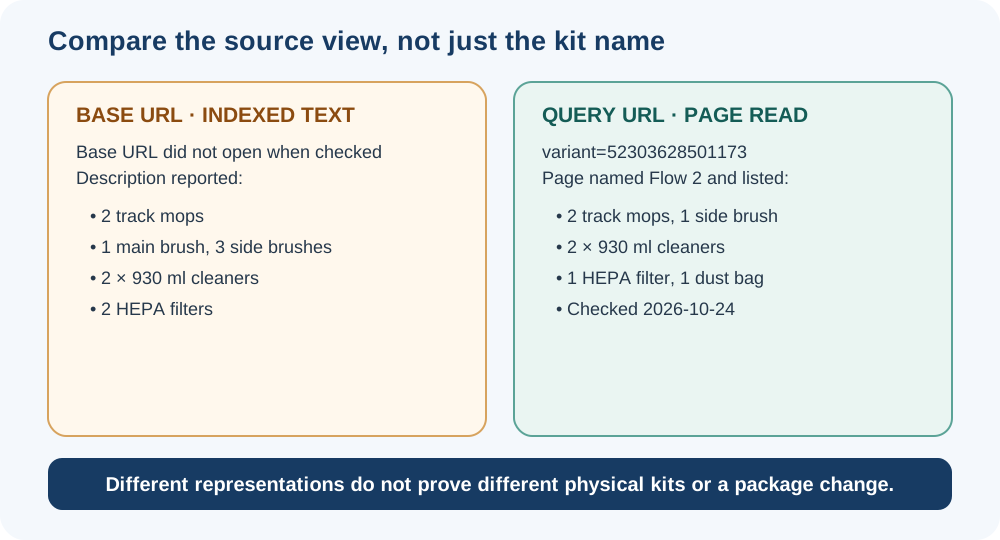
The Flow 2 listing needs an exact-source check. On 2026-10-24, opening the base URL failed, while its search-index text described two track mops, one main brush, three side brushes, two 930 ml cleaners, and two HEPA filters. A directly readable URL with variant=52303628501173 named Flow 2 and listed two track mops, one side brush, two 930 ml cleaners, one HEPA filter, and one dust bag. These different representations do not establish two physical kits, a package change, or that the query parameter identifies a separate SKU. Verify the selected option and its item list with Narwal before ordering. The direct page’s package statement does not establish Standard-versus-Compact Dock fitment for individual parts.
Compare the exact kit, robot, and dock
eufy’s US Basic Quarterly Accessory Bundle listings for the Omni E25 and E28 name the same core contents: two side brushes, one filter, one roller brush and guard, three dust bags, and one roller mop. The listed floor-cleaning solution volume differs: 600 ml for E25 and 473 ml for E28. Both pages give the same model-specific replacement recommendations: side brushes and dust bags every three months, filters and roller brush/guard every six months, roller mop every two months, and solution every three months. These are eufy’s recommendations for the named bundles, not a universal schedule. The similar bundle contents do not establish that either full kit or each item is interchangeable between E25 and E28.
iRobot’s US listings also separate robot and dock configurations. Kit 4867617 is listed for the Max 875 Combo with AutoWash Dock and contains three carbon filters, three anti-tangle edge-sweeping brushes, and one anti-tangle multi-surface brush. Kit 4849964 is for the Max 705 Vac and Plus 504 Vac with AutoEmpty docks; it lists three filters, three edge-sweeping brushes, and two dual multi-surface rubber brushes. Do not transfer those AutoEmpty listings to the similarly named Combo/AutoWash models.
The iRobot Max 705/707/775/776/777/778 Combo kit 4862706 is a case where the page itself needs clarification: its “This kit includes” list says one multi-surface bristle brush, while its Details text says two dual multi-surface rubber brushes. Both descriptions name three filters and three edge-sweeping brushes, and the page lists the Combo robots with AutoWash docks. The main-brush count and type remain unresolved; confirm them with iRobot or the package rather than choosing one description.
Roborock’s US Saros 10 accessories pack lists two side brushes, two filters, two VibraRise mop cloths, two Edgewise mop cloths, one main-brush set, and three dust bags. The same page expressly excludes Saros 10R. That statement applies to the pack as a whole; it does not establish separate compatibility for each item.
SwitchBot’s US S Series kit listing names S10/S20 and includes two side brushes, one main brush, four dustbin filters, two roller mops, one waste-water-parts set, and five dust bags. The “1 year use” title does not establish a fixed service life for every household, and the bundle list does not establish that each item fits other SwitchBot models.
When a match remains unclear
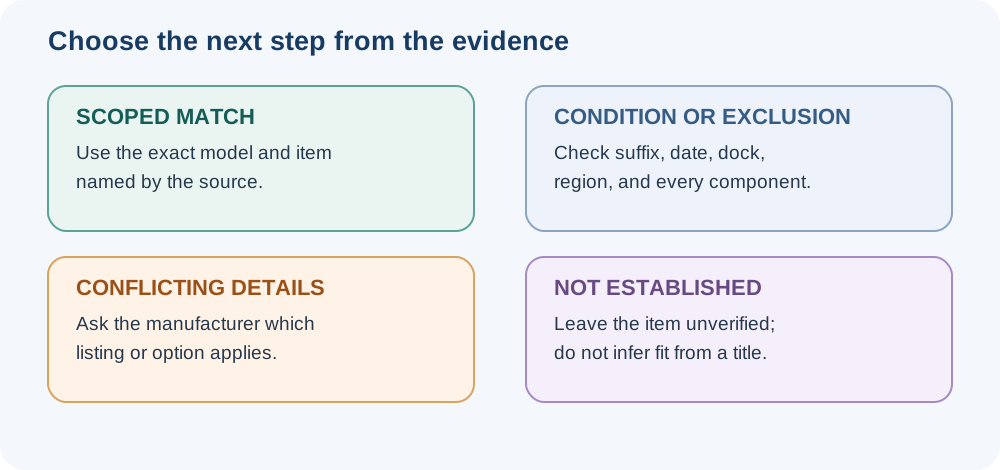
Use not verified until an official page, manual, or manufacturer support answer connects the exact part with your model and region. Do not test an uncertain battery, charger, tank, dock, or internal assembly by installing it. For lower-risk consumables, check the return terms before purchase and keep the exact part number and listing. For a seller or listing-quality check, see genuine, third-party, refurbished, or unknown parts. For filters, brushes, and pads, see the part-selection guide.
You can also check Compatibility & Fitment for an existing model-to-part record. If it does not cover every item and your exact robot or dock revision, ask the manufacturer rather than extending the listing’s fit claim.
Sources & product documentation 18 references
- Can QrevoPro use accessories from previous mode QRevo?Primary
- Roborock Mop Cloth*4pcs for Qrevo CurvX, Qrevo EdgeT, QX Revo UltraPrimary
- Roborock Mop Cloth*4pcs for Qrevo Curv Series and Qrevo Edge SeriesPrimary
- Replacement Kit for 11S Max, 15C Max, 30C Max, G20, G30, G30 EdgePrimary
- Accessories for Narwal Freo X UltraPrimary
- Advanced Kit for Flow (Basic Dock)Primary
- Advanced Kit for Flow 2Primary
- Advanced Kit for Flow 2, query URL variant 52303628501173Primary
- Dreame X40 UltraPrimary
- Basic Quarterly Accessory Bundle for eufy Omni E25Primary
- Basic Quarterly Accessory Bundle for eufy Omni E28Primary
- Replenishment Kit for Roomba Max 875 Combo RobotsPrimary
- Replenishment Kit for Roomba Max 705, 707, 775, 776, 777, 778 Combo RobotsPrimary
- Replenishment Kit for Roomba Max 705 and Plus 504 Vac RobotsPrimary
- Roborock Accessories Pack for Saros 10Primary
- S Series Replacement Kit for SwitchBot S10/S20Primary
- Dreame L60 Ultra PE/X50 Ultra/L50 Ultra/L40s Ultra Robot Vacuum Accessory Cleaning KitPrimary
- Dreame 3.2L Dust Bag (X/L/Aqua/Matrix Series)Primary