When a part wears out, first determine whether it belongs to the robot or the base station. A robot and its dock can have separate bins, filters, bags, tanks, trays, chargers, and service components. A product family name alone may not identify the correct base or revision.
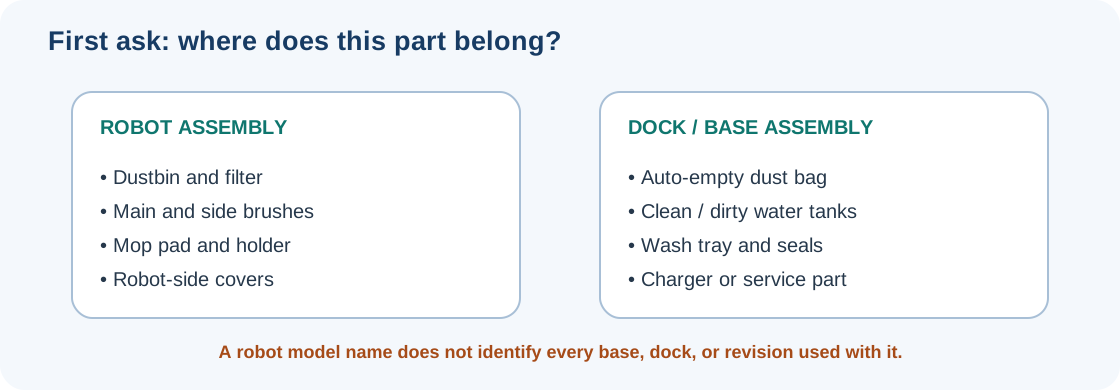
Identify the subsystem
| Part | Where it may belong | What to match |
|---|---|---|
| Robot dustbin and filter | Inside the robot | Robot model, bin design, filter type, and the manual’s cleaning rule. |
| Auto-empty dust bag | Dock or base station | Exact dock/base family, bag shape and part number, and robot/dock configuration. |
| Clean/dirty water tank or mop-wash tray | Multifunction dock | Exact robot and dock pair, tank or tray part number, seals, and regional version. |
| Charging adapter or dock power part | Robot/dock electrical system | Model and dock labels, electrical rating, plug and country, and manufacturer confirmation. |
| Complete dock or internal assembly | Service-sensitive system | Exact base model, supported repair route, and whether the manufacturer supplies the part to owners. |
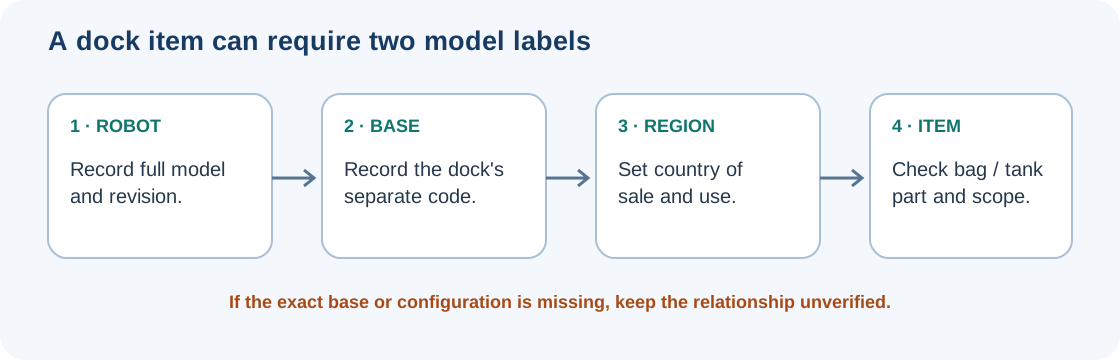
Record both model labels before shopping. A multi-function base may have a model code separate from the robot’s. If the manual or listing does not name the base you own, leave the relationship unverified rather than assuming that a similarly named dock will work.
Distinguish a maintenance need from a replacement
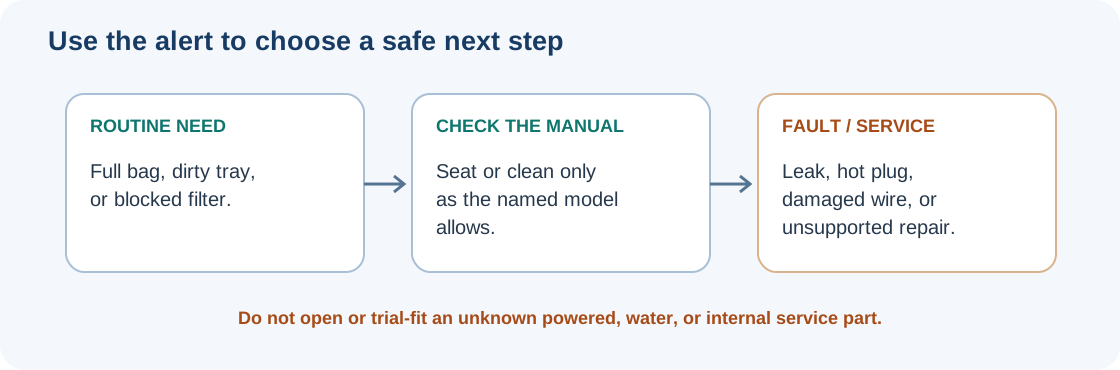
A full bag, dirty tray, empty tank, or blocked filter may call for the model’s routine care rather than a new assembly. Some alerts can also reflect an item that is not seated or detected correctly. For example, iRobot’s Clean Base guidance says a solid red light can indicate a full disposal bag or a bag that is not detected. That signal is specific to the named Clean Base system; use the alert and checks for your own dock.
Care instructions are not interchangeable. The Roborock Q Revo manual names robot-side components such as the dustbin, filter, mop cloth, and charging contacts, and dock-side parts such as the dust bag, clean and dirty water tanks, and cleaning tray. It limits those parts and procedures to the documented Q Revo configuration. The manual also warns against dismantling or repairing the battery or charging dock. Keep liquid away from powered parts and do not wash a filter or tank assembly unless the exact manual permits it.
Check the exact bag, tank, or bin
Bag construction can differ even within one manufacturer’s lineup. iRobot distinguishes an original plastic evacuation bag for classic models from newer cardboard bags used with specific newer robots and AutoEmpty or AutoWash docks. Its current support page lists the model and dock configurations covered. Match the bag to that list and to your dock; do not rely on a product photo or the words “fits Roomba.”
Other catalogs also show why the component matters. Narwal’s US Freo X Ultra accessory collection lists one model group for a disposable dust bag and dust bin and a different model group for mop pads. That is evidence for those specific listings only. It does not show that another Narwal part fits those models, or that the same parts are available in the UK or Canada.
Separate dock-filter variants
Narwal’s US Flow 2 collection separately lists a multifunctional dock filter for the Standard Dock and one for the Compact Dock. The listing titles establish two dock-specific products, but do not say the filters are interchangeable. The collection title also does not resolve which Flow 2 dock variant the dust bag fits. Check the base label and the current exact item page before ordering.
The initial view of iRobot Canada’s parts catalog page, checked on 2026-10-07, lists separate three-pack bag groups for select AutoEmpty/AutoWash docks and select Clean Base/AutoWash docks. It showed 165 results and a Load More control, so this is an incomplete view rather than a full dock-to-bag map. The titles do not identify every exact base code or revision. Check your dock label and the current Canadian item page rather than assuming either group fits every similarly named base.
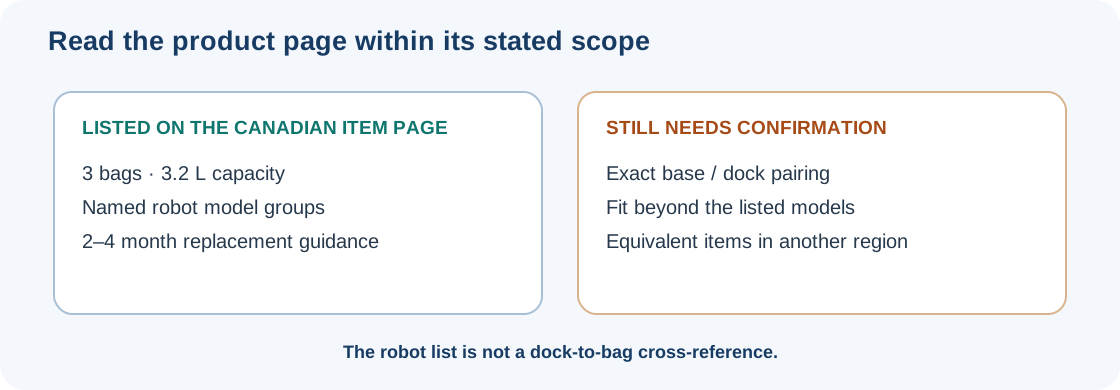
Dreame’s Canadian accessories catalog links to a 3.2 L dust-bag listing. The item page lists a three-pack, names robot groups including Matrix10 Ultra, Aqua10, X50 Ultra, L50 Ultra, L40 Ultra, L40s Ultra, and GoVac models, and gives a two-to-four-month replacement recommendation. It does not name the exact base or dock. Treat its model list as the stated scope of that Canadian bag listing, then verify your base’s exact bag and model pairing with the current manual or manufacturer support; do not infer a dock match from the robot family alone.
A Roborock US store listing names a six-piece dust-bag product for S8 MaxV Ultra, S8 Max Ultra, Qrevo Series, Qrevo Curv Series, Qrevo Edge Series, Saros Series, and QV Series. This family-level listing is not a complete dock-to-bag matrix; match the exact base model and current item before treating it as a fit.
Other US listings show why the exact base and region still matter. eufy’s US dust-bag guide lists a three-pack of 3 L bags for E20, E25, E28, and C28. Its “up to 75 days” duration depends on household conditions; it is not a guaranteed interval or a complete station-variant list. Samsung’s US store identifies VCA-RDB95/VAA as a five-pack for Jet Bot Clean Station, and its business product information names JetBot+ and JetBot AI+ models. Check the full robot and Clean Station model codes against the current listing. These US examples do not establish UK or Canadian equivalents.
Before purchase, check the exact robot and base model, the specific item (not just a bundle name), part/SKU, country, plug or electrical rating where relevant, and the current manufacturer’s product page. Check seller, returns, warranty terms, and the date you verified the listing. Price and stock change, and a catalog’s presence is not a guarantee of current inventory. For a model-to-part record, check Compatibility & Fitment and confirm the exact base if no record covers your revision.
For a robot or complete dock from another market, record the country where it was sold and where it will be used, then confirm operation, app access, and after-sales service for the exact unit. Narwal’s regional policy says its products sold by Narwal or authorized retailers are only available for use and after-sales support in the country or region where they were originally sold; a product shipped elsewhere might not bind to the Narwal App or perform relevant operations. This is Narwal’s policy, not a dock-to-part fitment map or a rule for every standalone consumable.
Stop when water or electricity is involved
Routine emptying and cleaning are different from opening a dock, pump, charger, or internal water path. Stop and contact the manufacturer or qualified service if there is a leak near electrical parts, damaged wiring, an overheated plug, a pump or motor fault, or a procedure that is not supported for your exact model. Do not trial-fit an unknown tank, bag, charger, or dock to see whether it works.
For multi-item bundles, follow the replacement-kit check. For batteries, adapters, and service-sensitive components, see batteries, wheels, and service parts.
Sources & product documentation 13 references
- Roborock Q Revo User ManualPrimary
- How do I replace Clean Base™ Dirt Disposal bag?Primary
- Auto-Wash™ Dock Care and Maintenance InstructionsPrimary
- Accessories for Narwal Freo X UltraPrimary
- Roborock Dust Bag*6pcs for S8 MaxV Ultra, S8 Max Ultra, Qrevo Series, Qrevo Curv Series, Qrevo Edge Series, Saros Series and QV SeriesPrimary
- eufy Dust Bag Replacement - Compatibility by ModelPrimary
- Samsung Jet Bot Clean Station Dust Bags (5 pack)Primary
- Samsung Jet Bot Clean Station Dust Bags — business product informationPrimary
- Parts & AccessoriesPrimary
- Accessories for Narwal Flow 2Primary
- Regional Availability and CompatibilityPrimary
- Robot Vacuum AccessoriesPrimary
- Dreame 3.2L Dust Bag (X/L/Aqua/Matrix Series)Primary