A filter, brush, mop cloth, or holder can look familiar and still belong to a different robot or cleaning head. Identify the exact model first, then decide whether the part is dirty, worn, damaged, or actually due for replacement. A kit that includes one matching brush does not prove that its filter or mop pads also fit.
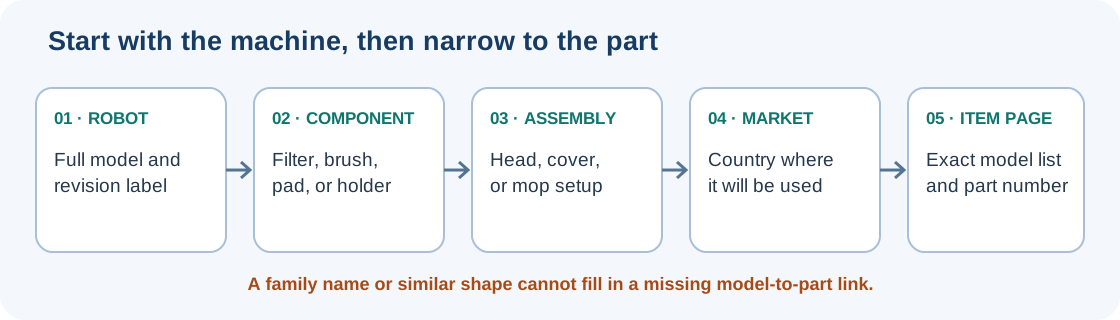
Identify the component before shopping
| Part | What to check | What can change the choice |
|---|---|---|
| Filter or pre-filter | Read the filter name and model group in the manual or official listing. | Some filters are washable; others must stay dry. A filter cover and the filter itself are separate components. |
| Main or roller brush | Check the brush ends, caps, guard, and the shape of the brush interface. | Hair or debris may stop a brush that is otherwise usable; brush designs vary by cleaning head. |
| Side brush | Check its mounting, which side a paired design uses, and whether the listing is for the brush alone or a larger module. On Roomba Plus 400 and Plus 500 Series Combo, iRobot says the mirror-image left and right brushes are not interchangeable. | Certain newer iRobot i1, i3, i5, and Combo i5 revisions are non-modular, so the side-brush module cannot be replaced; check iRobot’s serial-number or battery-door guidance first. |
| Mop pad or cloth | Check how it attaches and whether it is for the robot and mop assembly you own. | Similar cloths can have different model lists; some listings expressly exclude a related model. |
| Holder, guard, or kit | Read the itemized contents and check each item separately. | A model group on a kit page may have item-specific exclusions or purchase-date exceptions. |
Clean first, then assess wear
Follow the maintenance instructions for the exact robot. Clear accessible hair and debris from a brush, its ends, and its guard before deciding that the brush has failed. A sound filter or pad may only need the care allowed by its manual. Replace an item when the applicable manufacturer instruction calls for it, when it is visibly damaged, or when it no longer works as intended after the supported cleaning and installation checks.
Care intervals are examples for named models, not a universal schedule. For instance, iRobot recommends weekly main-brush cleaning (twice weekly in homes with pets) and gives a six-to-twelve-month replacement recommendation for the Roomba brushes covered by its support page. Use the schedule for your model and usage; do not transfer it to another brand or assume an interval guarantees the part is worn out.
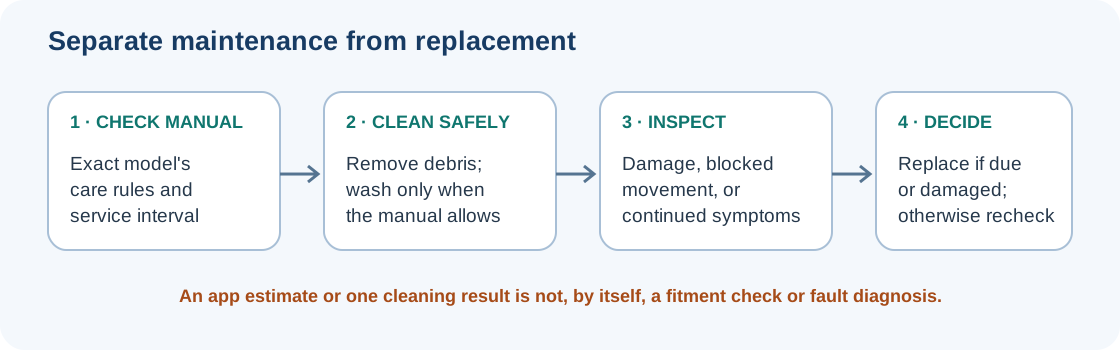
Some robot apps also estimate remaining consumable life. Xiaomi’s X20 Pro app guidance, for example, shows an estimate for the brush, side brush, filter, and mop pad, and says to reset that tracker after replacing an item. Treat the estimate as a model-specific maintenance prompt, not proof that a part has failed or that a replacement fits. Resetting the tracker records the replacement in the app; it does not diagnose or repair a robot problem.
Miele’s Scout RX2 manual recommends replacing that model’s exhaust filter after about six months and its side and roller brushes after about one year. These are approximate manual recommendations for the Scout RX2 only; the manual does not give the replacement SKU or establish current availability. Identify the exact part from current Miele information, and switch the robot off before maintenance as the manual directs.
Xiaomi’s Global FAQ for the S40 Pro says to clean the main brush, side brush, and filter every two weeks; replace the side brush and filter every 3–6 months, the main brush every 6–12 months, and the mop pad every 1–3 months or when worn; and clean the mop pad after each use. It also recommends replacing the brush cover every 3–6 months or when worn, but gives no cleaning interval for the cover. These intervals apply to the S40 Pro guidance only. Check the exact regional listing for any part number and fitment; the FAQ does not establish a US, UK, or Canadian SKU or compatibility mapping.
Care rules can also differ between filters. iRobot says the filters for the Roomba e, i, j, and Combo 10 Max families on its support page are not designed to be washed. The Roborock Q Revo manual labels its own filter washable. Neither instruction applies to every robot vacuum. Do not rinse a filter unless the manual for your exact model permits it, and reinstall it only as that manual directs.
Verify the part and the evidence
Before buying, record:
- The complete robot model or SKU, including suffixes and revision details shown on the label.
- The exact component: filter, pre-filter cover, main brush, side brush, mop cloth, holder, guard, or another item.
- The manufacturer’s part number and the robot or cleaning-head version it names.
- The country of use and, for a combo robot, the exact mop assembly or dock configuration.
- Whether the listing is a single item or a kit, and whether it states exclusions, dates, or exceptions.
- The source of the fitment claim and the seller’s current return terms.
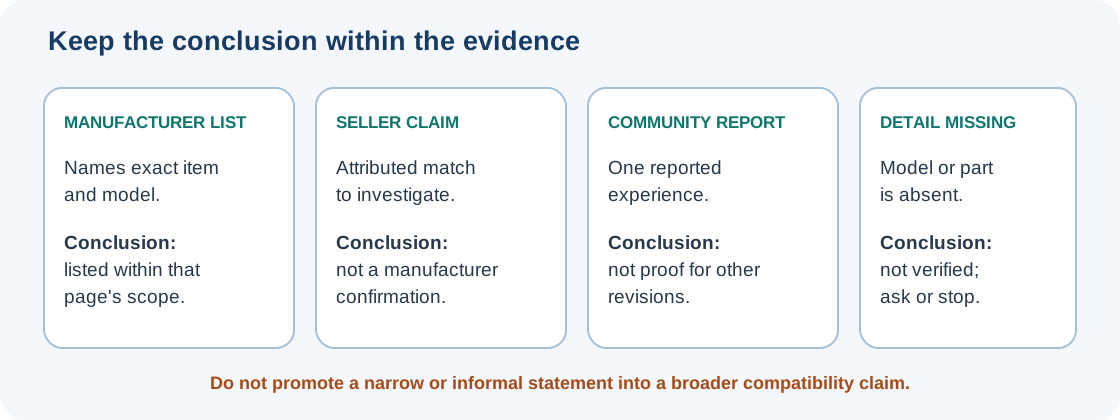
Treat a component relationship as one of these states:
| Listing evidence | What it establishes |
|---|---|
| Manufacturer lists the exact model and part | A manufacturer-listed relationship for that specific item and the scope stated on that page. Recheck the current regional listing. |
| A specialist or seller claims a match | An attributed claim to investigate; it is not a manufacturer confirmation. Check the exact part number, method, and source. |
| A community report describes a successful fit | One reported experience. It does not establish an official match, performance, safety, or fit for another revision. |
| The model, variant, or component is absent or unclear | Not verified. Do not turn silence, appearance, or a broad family label into a positive fit claim. |
Roborock’s QrevoPro support answer is a useful example of why the result belongs to each component: it says the side brush, main brush, and main-brush cover are compatible with the previous QRevo, while the dustbin, filter, and mop cloth are not. That answer is limited to the models and accessories it names. It is not a rule for every Qrevo, third-party kit, or other manufacturer.
A captured iRobot Canada catalog page checked on 2026-10-07 names a filter group for Roomba 100 (1000) and Essential Series Combo and Vac robots, and another filter and DualClean mop-pad group for Plus 400 (4000) and 500 Series Combo robots. Its edge-sweeping-brush listing separates Vac and Combo model groups. The captured first page reported 165 results and a Load More control, so it is only a partial catalog view, not a complete fitment table. Confirm the exact robot and current Canadian item page; these listings do not establish US or UK fitment.
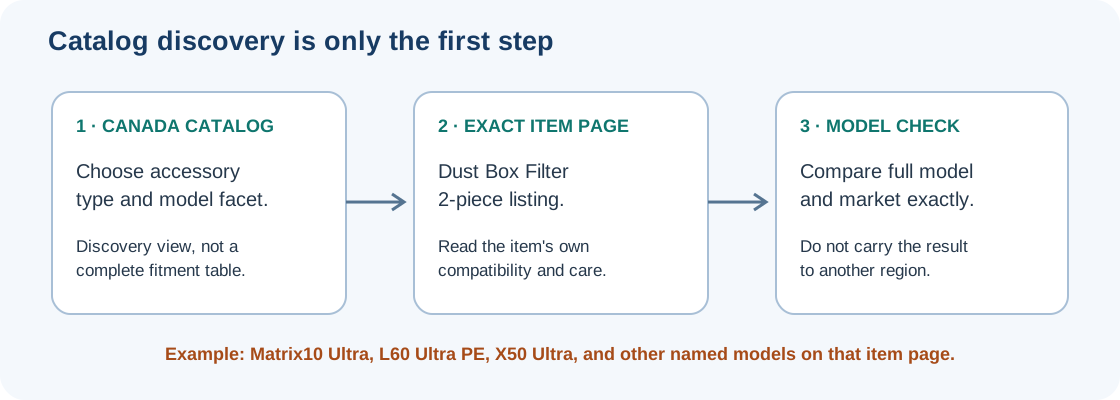
Dreame’s Canadian robot-vacuum accessories catalog provides a regional discovery route with accessory-type and model facets. Follow a result through to the exact item page: its dust-box-filter listing names Matrix10 Ultra, Matrix10 Pro, L60 Pro Ultra, L60 Ultra, L60 Ultra PE, L40s Ultra, X50 Ultra, L50 Ultra, GoVac 600, GoVac 510, and GoVac 800. The page lists two filters, says to rinse and dry them every two weeks, and recommends replacing them every three to six months. Use that list and care guidance for this Canadian item page only; it does not map the filter to other regions or substitute a similar model name for the exact robot you own.
Keep diagnosis separate from the purchase
A replacement part is not a diagnosis. A brush that still will not turn after the model’s cleaning steps may point to a different fault; a weak-cleaning complaint may involve more than the filter. Follow the symptom checks and the manufacturer’s procedure before shopping. For batteries, wheels, motors, pumps, or dock parts, use the service boundaries in Batteries, wheels, and service parts. For a mixed bundle, use the replacement-kit check.
Once you have identified the robot and component, check Compatibility & Fitment for a recorded model-to-part relationship. If no record covers your exact variant, leave the match unverified and confirm it with the manufacturer.
Sources & product documentation 12 references
- How to clean or replace the robot bin and filter. Roomba® e, i, j series, and Combo® 10 MaxPrimary
- Main Brush Care: All Roomba® ModelsPrimary
- How to order a Filter for my RoboVac?Primary
- Edge Sweeping Brush Care, All Roomba® ModelsPrimary
- Parts & AccessoriesPrimary
- Scout RX2 Operating InstructionsPrimary
- Xiaomi Robot Vacuum S40 Pro FAQPrimary
- How to check the consumable service life on the Xiaomi Robot Vacuum X20 Pro?Primary
- Roborock Q Revo User ManualPrimary
- Can QrevoPro use accessories from previous mode QRevo?Primary
- Robot Vacuum AccessoriesPrimary
- Dreame Dust Box Filter (Matrix10 Series/L40s Ultra/X50 Ultra/L60 Ultra PE)Primary