TP-Link’s US care FAQs contain several different Tapo model sections. Find the exact model name before cleaning a filter or contact: a damp-cloth instruction for one model is explicitly unsafe for several others. Some pages use diagrams or video to show part orientation, so check the exact current FAQ when those details matter.
Filters
TP-Link’s current US filter FAQ has five separate model sections. Match the complete robot label to the exact FAQ group before choosing a cleaning or replacement interval; a shared RV20 or RV30 name alone is not enough to transfer a method.
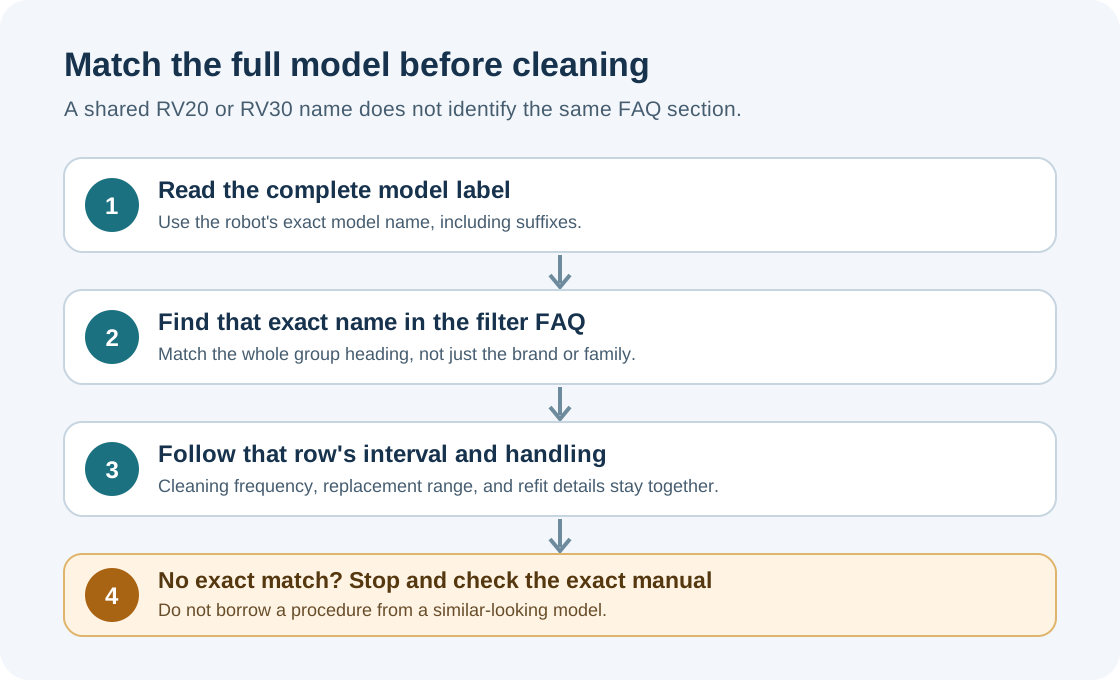
Use only the FAQ row that names your complete model.
| Exact model group in the FAQ | Clean filter | Replace filter |
|---|---|---|
| RV50 Pro Omni / RV50 Omni | Weekly | Every 2–4 months |
| RV30 Max Plus Gen2 / RV30 Max Plus / RV30 Max / RV20 Max Plus / RV20 Max | Weekly | Every 3–6 months |
| RV30 Plus / RV10 Plus / RV20 Mop Plus | Weekly | Every 3–6 months |
| RV30 / RV10 / RV20 Mop | Weekly | Every 3–6 months |
| RV10 Lite / RV20 / RV20 Plus / RV30C | Weekly | Every 3–6 months |
The RV50 section says to remove the cover and dustbin, take out and clean the filter, then wash the filter as shown. Do not use hot water or detergent. Air-dry the filter thoroughly; when reinstalling it, point the arrow on its right side outward.
The other four sections say to open the dustbin, remove and clean the filter with a brush, then wash the dustbin and filter. Do not use hot water or detergents. Air-dry both completely and return the filter to its previous orientation. These sections do not share the RV50 arrow instruction.
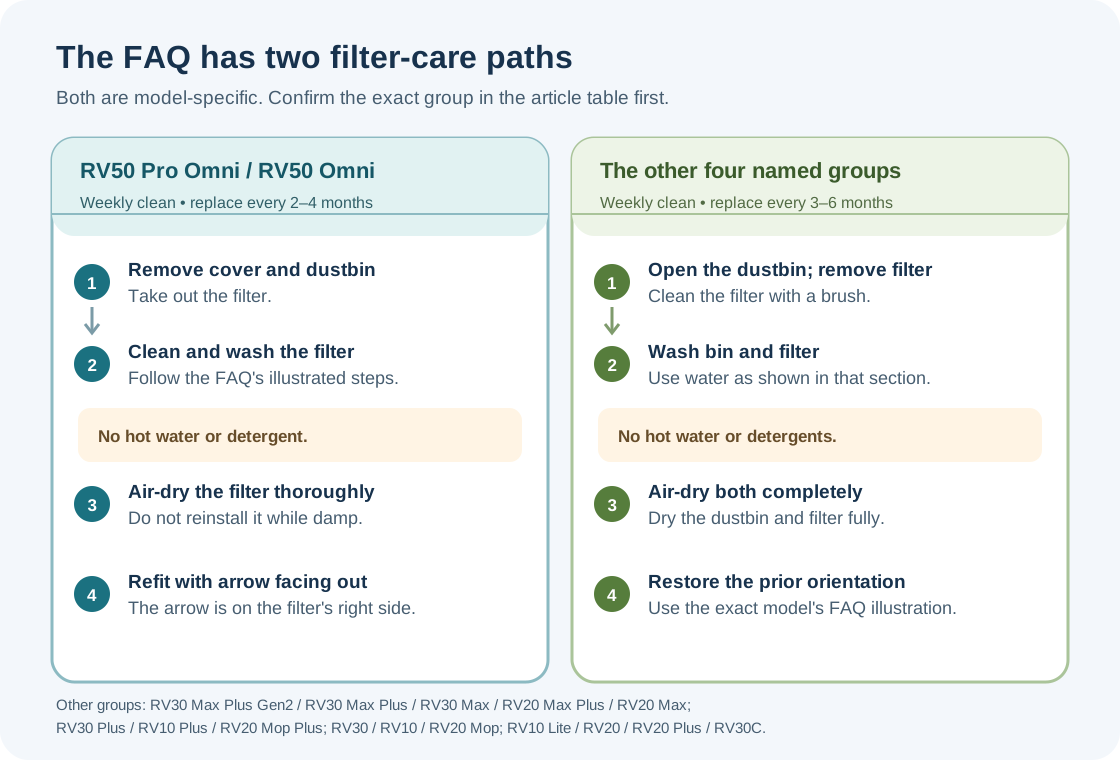
The diagrams summarize the written branches; use the live FAQ illustrations to confirm the part and its orientation.
All five named sections give weekly filter cleaning. The 2–4 month replacement interval belongs to the RV50 Pro Omni/RV50 Omni section; the other four groups say 3–6 months. Treat each as the FAQ’s model-specific guidance, not a universal Tapo schedule. If the label is absent from the table or the filter does not match the illustration, stop and check the exact manual or contact TP-Link support.
Sensors and charging contacts
For RV50 Pro Omni and RV50 Omni sensors, TP-Link allows a clean damp cloth followed by a dry cloth monthly. The RV30 Max Plus Gen2 sensor section instead specifies a dry cloth and warns that a wet cloth may cause damage; it gives no sensor-cleaning interval. Other named RV20/RV30/RV10 sections also call for dry methods, with monthly timing only where their sensor subsection states it. Some RV20 sections separately use a cotton swab on the LiDAR area.
Charging contacts have a separate model list and schedule. For RV50 Pro Omni and RV50 Omni, power off both robot and dock and clean monthly with a clean damp cloth, then dry; use an alcohol-dampened cloth only if necessary. RV30 Max Plus Gen2 contacts are cleaned monthly with a clean dry cloth; TP-Link warns that a wet cloth may cause damage. The RV30 Max Plus and RV20 Max Plus contact sections also state monthly care. RV30 Max and RV20 Max contact sections specify a dry cloth without an interval; other model sections give their own method and timing where stated. Do not transfer one model’s method or schedule to another.
Main and side brushes
The named RV50 Pro Omni/RV50 Omni and listed RV30/RV20 model sections recommend main-brush cleaning every two weeks and replacement every 6–12 months. Remove the cover as its model subsection shows, clear hair and debris, and reinstall the cover until it locks. Some variants require removing a mopping attachment first or cleaning the brush end caps.
The listed RV50, RV30, RV20, and RV10 groups recommend monthly side-brush cleaning and replacement every 3–6 months. Some have a screw and directional removal method; other brushes pull off. The RV20 family requires matching black and white brush colors to their slots. Never assume the brand alone tells you which removal method applies.
Follow the exact TP-Link support FAQs for your model before cleaning. If a component does not match the diagram or does not release as described, stop. For general component precautions, see brush, wheel, and sensor cleaning.